
Overview
This guide explains how to temporarily pause online ordering from the Twirll POS home page. It also covers how to adjust the pause duration or resume orders early while the pause is active.
Open the Pause Online Ordering option
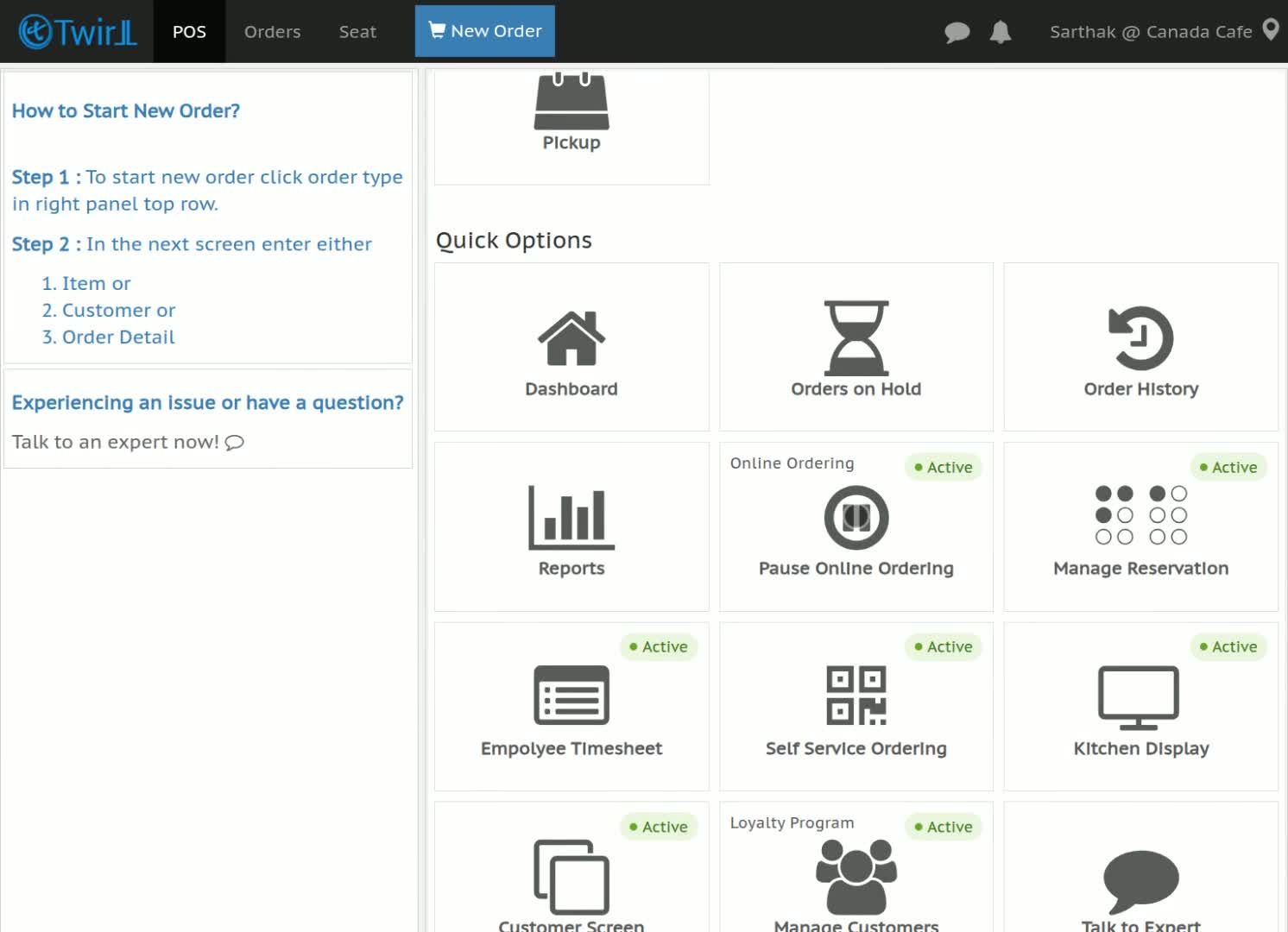
- From the Twirll POS home page, locate Pause Online Ordering.
- Click the option to begin setting up a pause.
Choose and confirm the pause duration
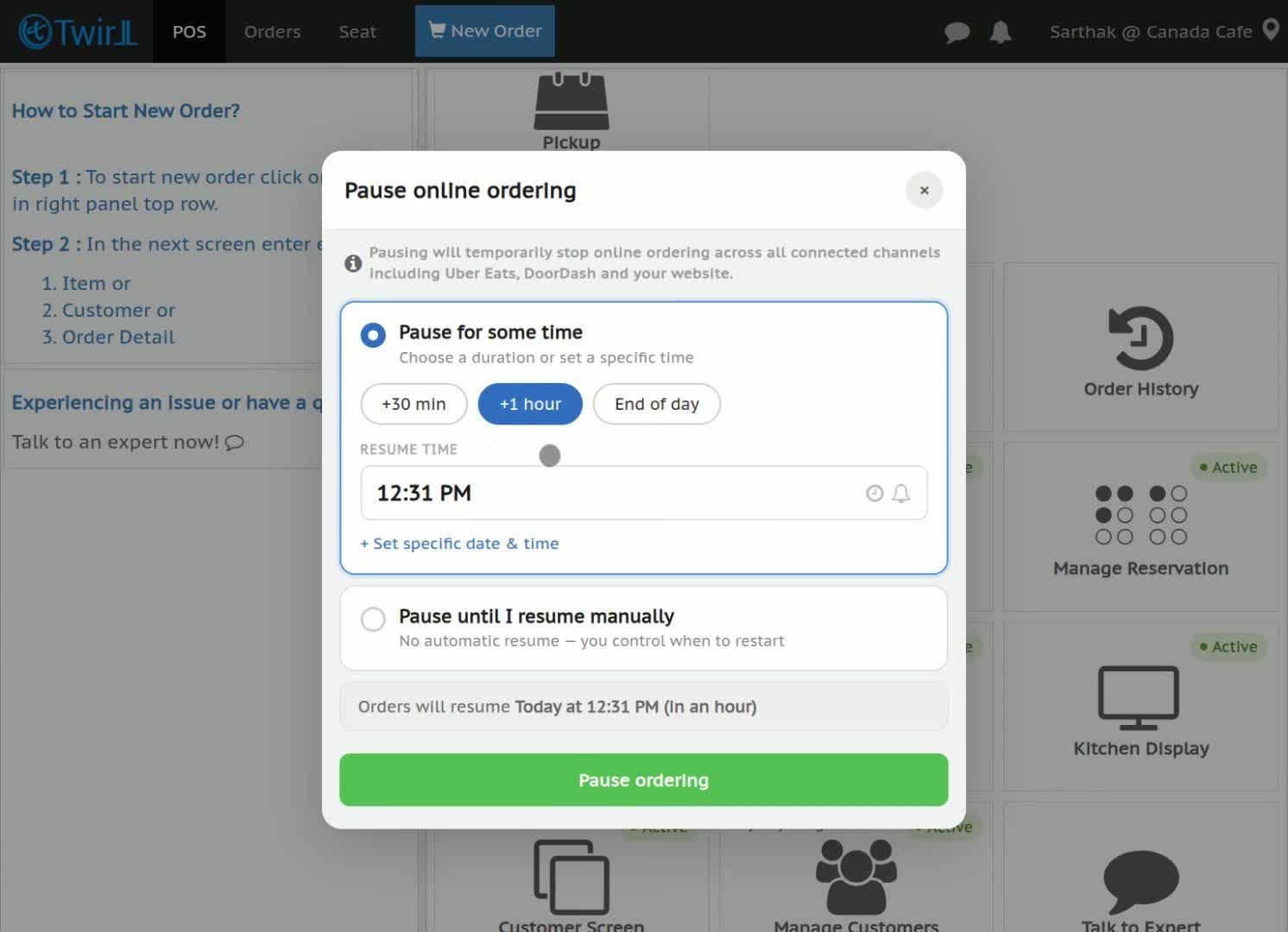
- Select how long you want online ordering to remain paused.
- Review your selection, then click Pause Online Ordering to apply it.
Manage an active pause
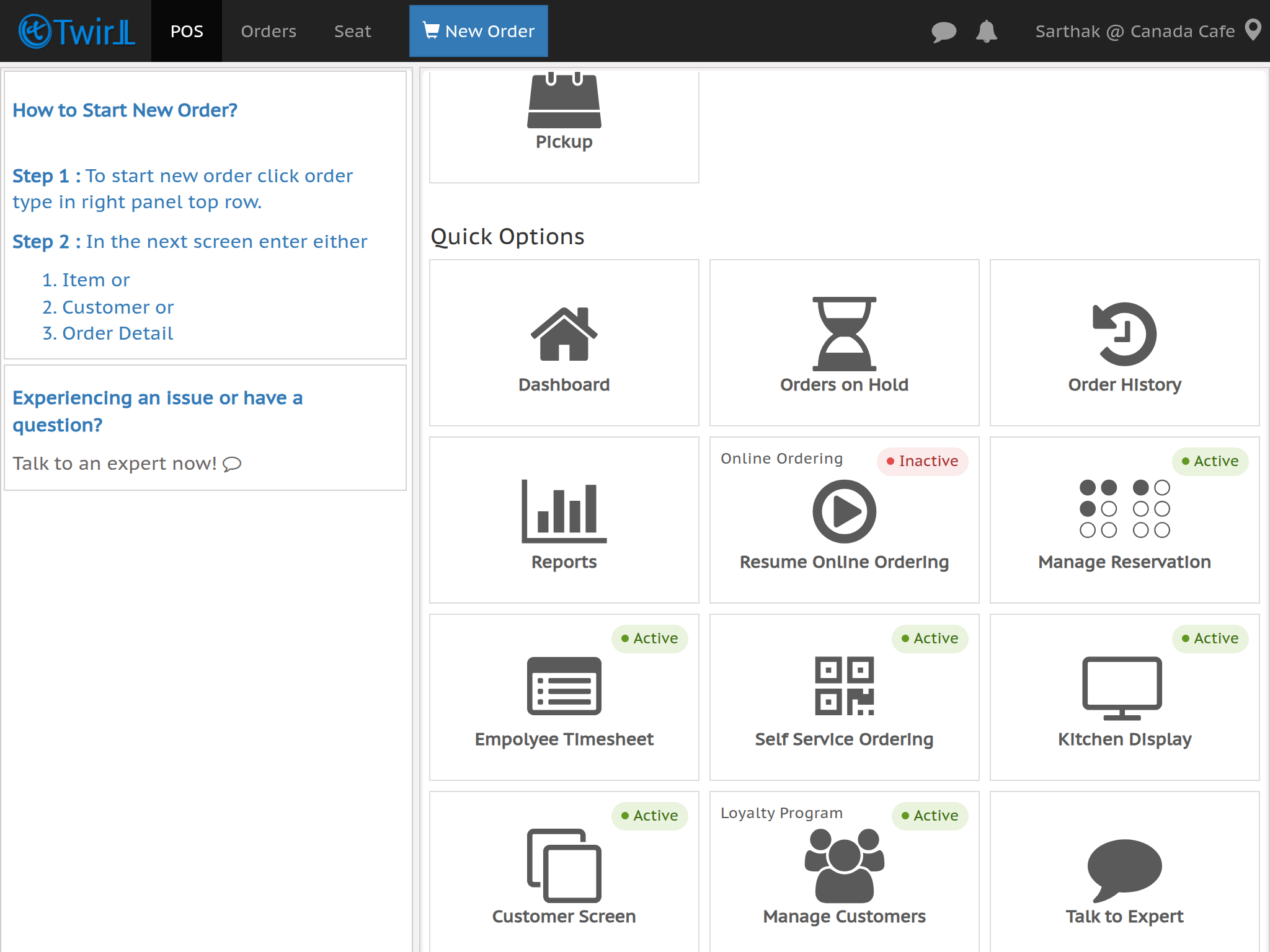
- While online ordering is paused, you can update the pause time if needed.
- To resume immediately, click Start taking orders.