
Select the POS Register in Twirll Settings
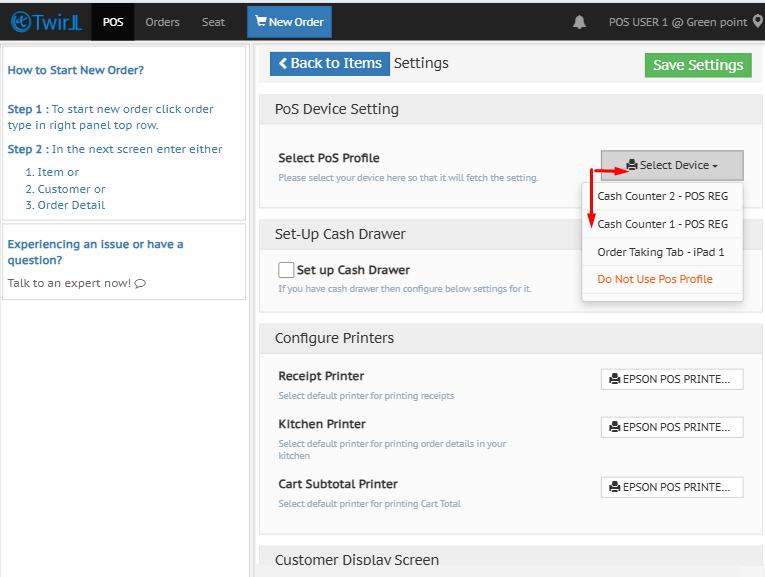
This explains how to access Twirll settings and select the appropriate POS register from the available drop-down list. Following these steps ensures the correct register is saved and applied to the account.
- Select a POS Register from Settings
- Open Settings from the Twirll logo
- Click the Twirll logo.
- Go to Settings.
2. Choose the POS register.
- Open the POS register drop-down.
- Select the appropriate POS register from the list.
- Click Save.
- Confirm the change when prompted.
Related documents :
How to change POS password
How to switch User
More FAQs about POS