
Third-party inventories refer to external supplier or partner inventories managed and updated through the portal for better synchronization and tracking.
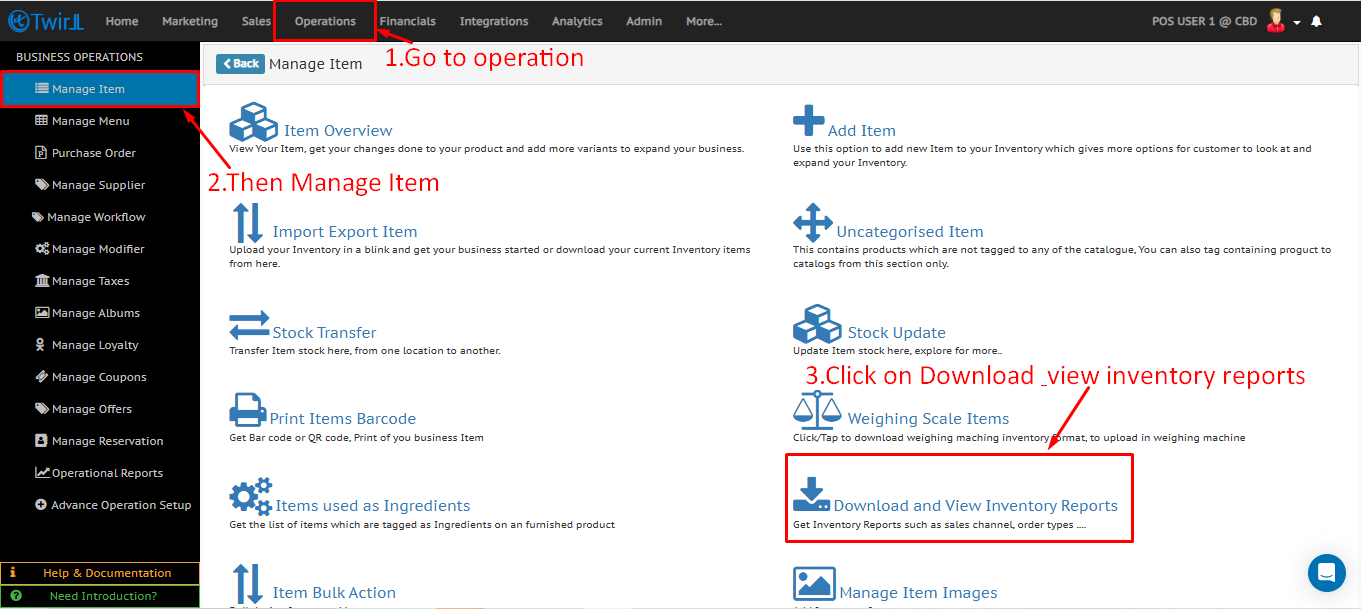
1. Log in to the Twirll Portal, go to Operations, then select Manage Item, and click on Download / View Inventory Reports.
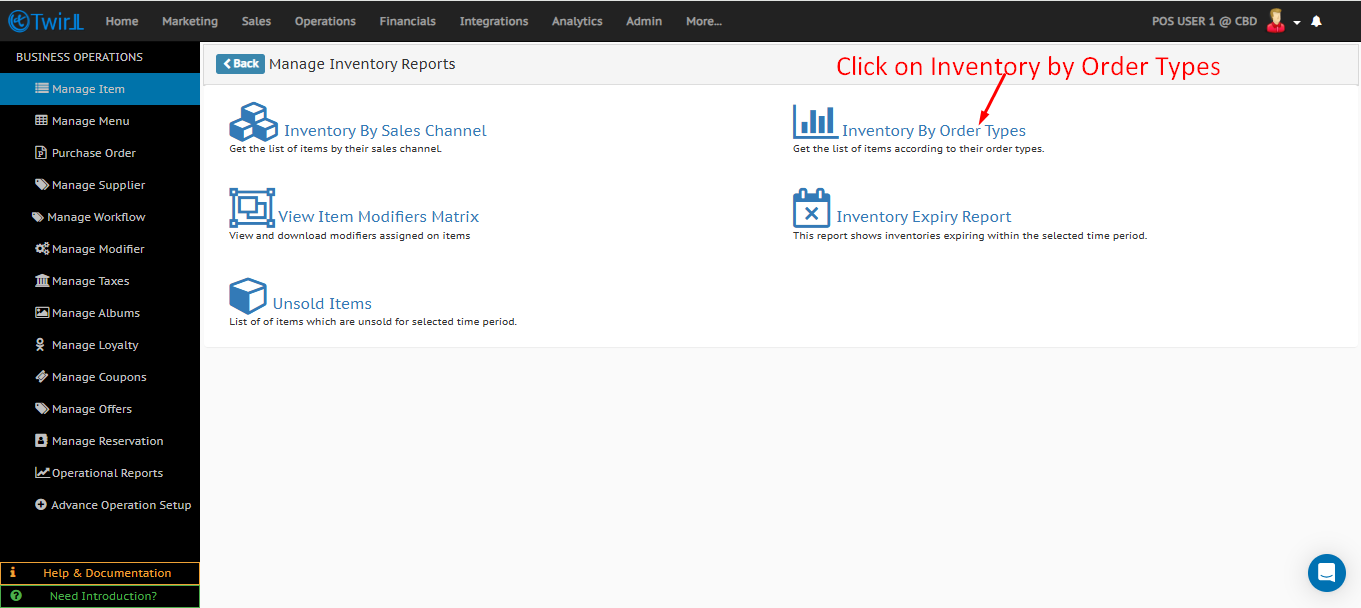
2. Click on Inventory by Order Types.
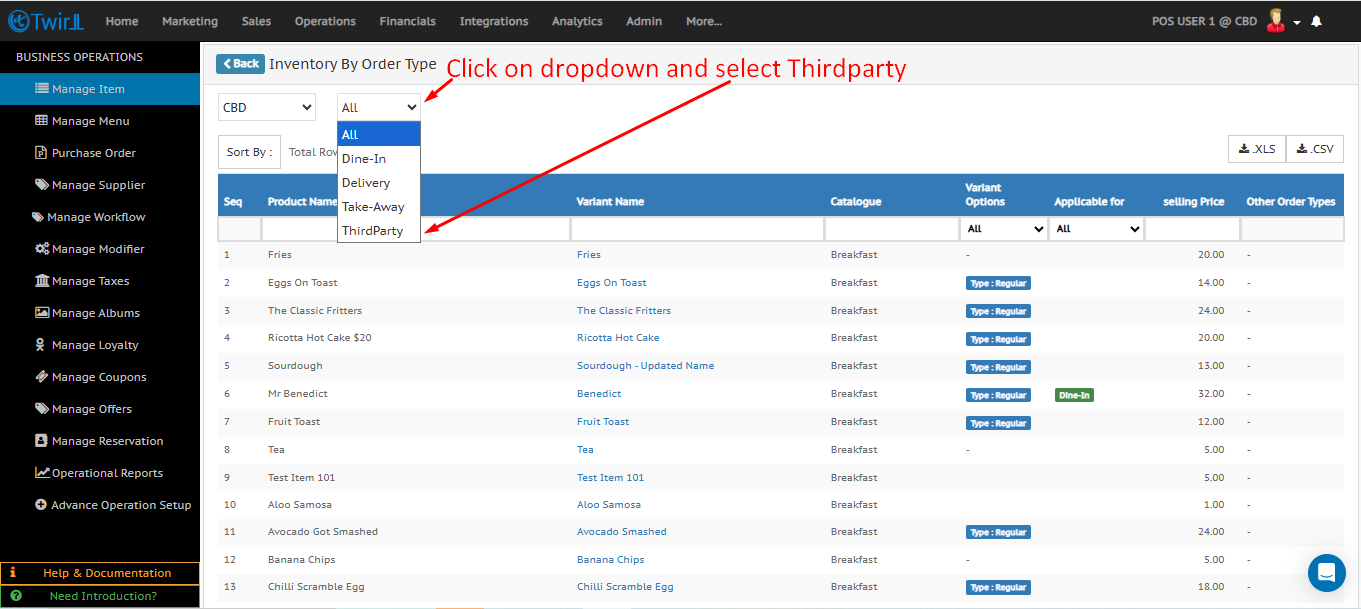
3. Open the dropdown menu and select Third-Party.
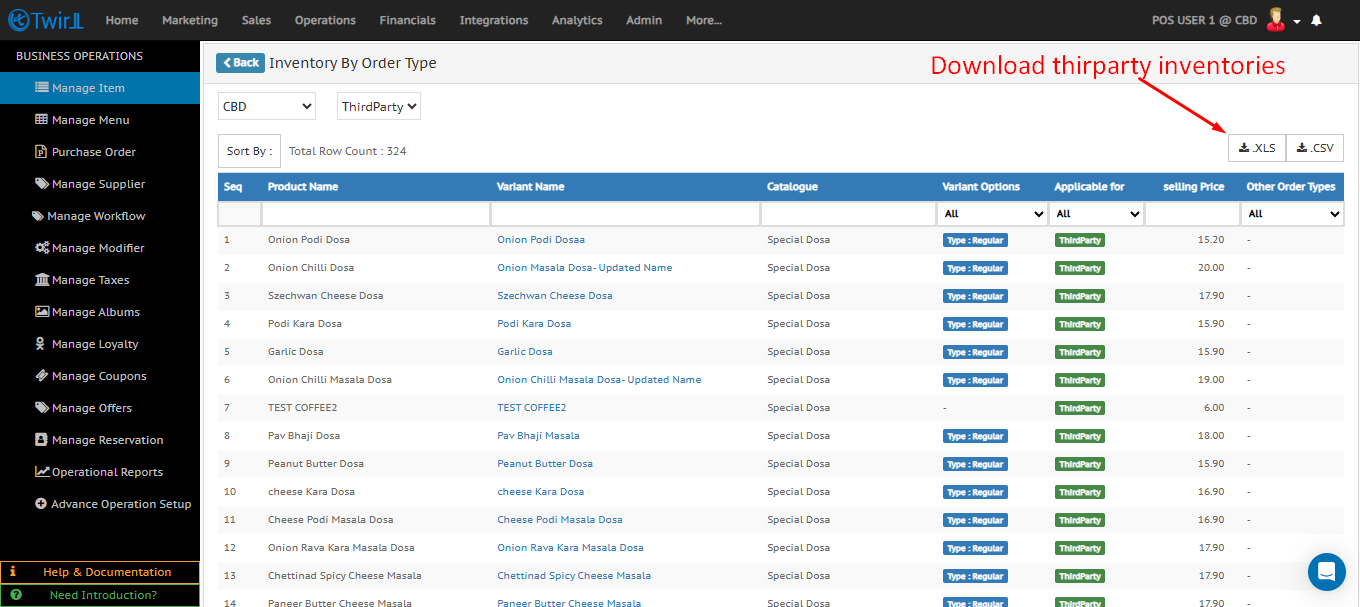
4. Click on Download to get the third-party inventory sheet.
More related documents
Related documents :
How to make Item Sellable and Non-Sellable ?
How to update sorting order of product?
How to make an item disable from online?