
Twirll Portal Login >> Admin >> Manage User
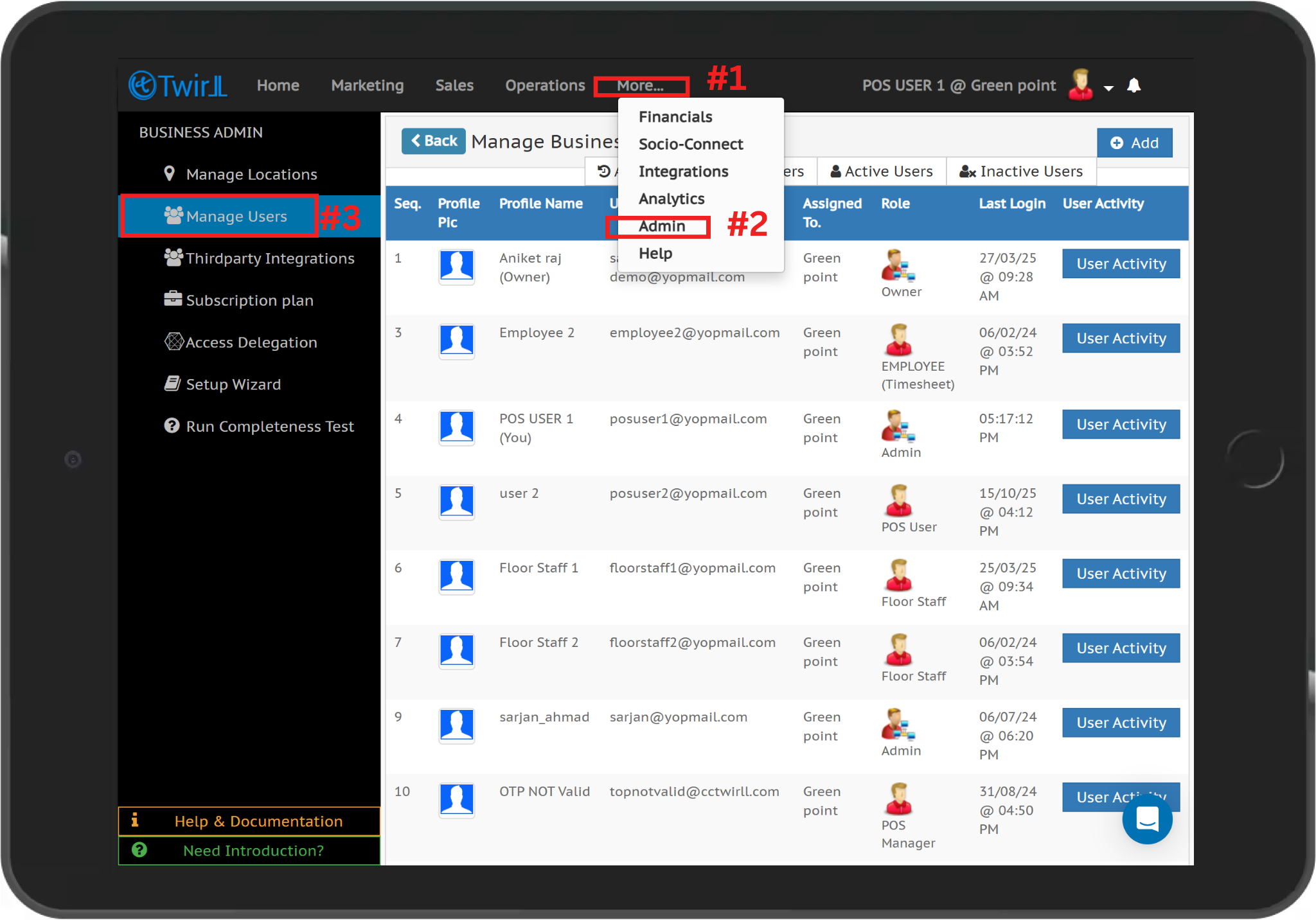
Step 1:- Log in to the Twirll Portal(portal.twirll.com). Click on “More” and select “Admin.” Then, select “Manage User.
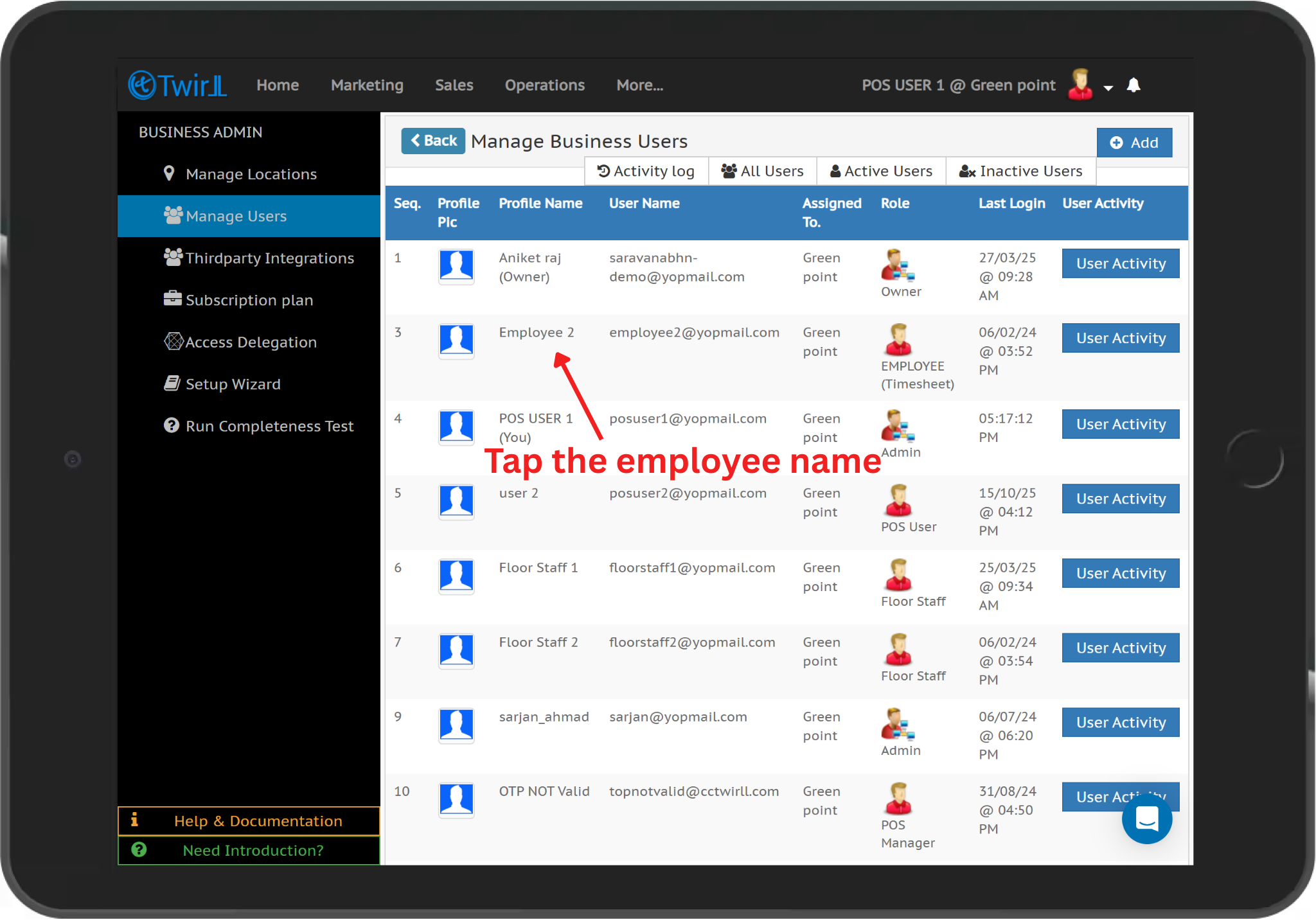
Step 2:-The list of all active users will be displayed. Click on the user name that you want to deactivate.
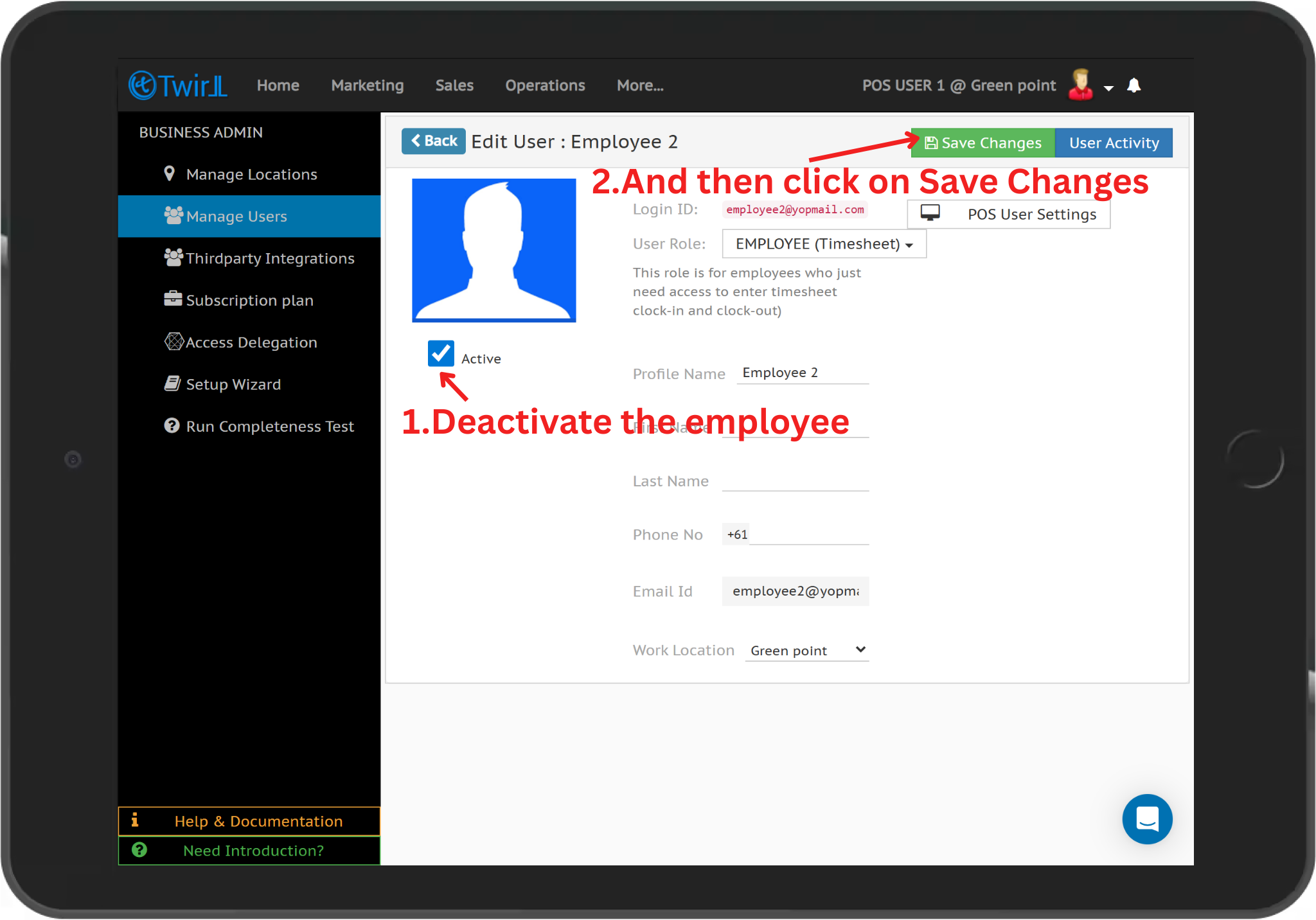
Step 3:- Uncheck the Active checkbox and click on Save Changes to deactivate the selected user.
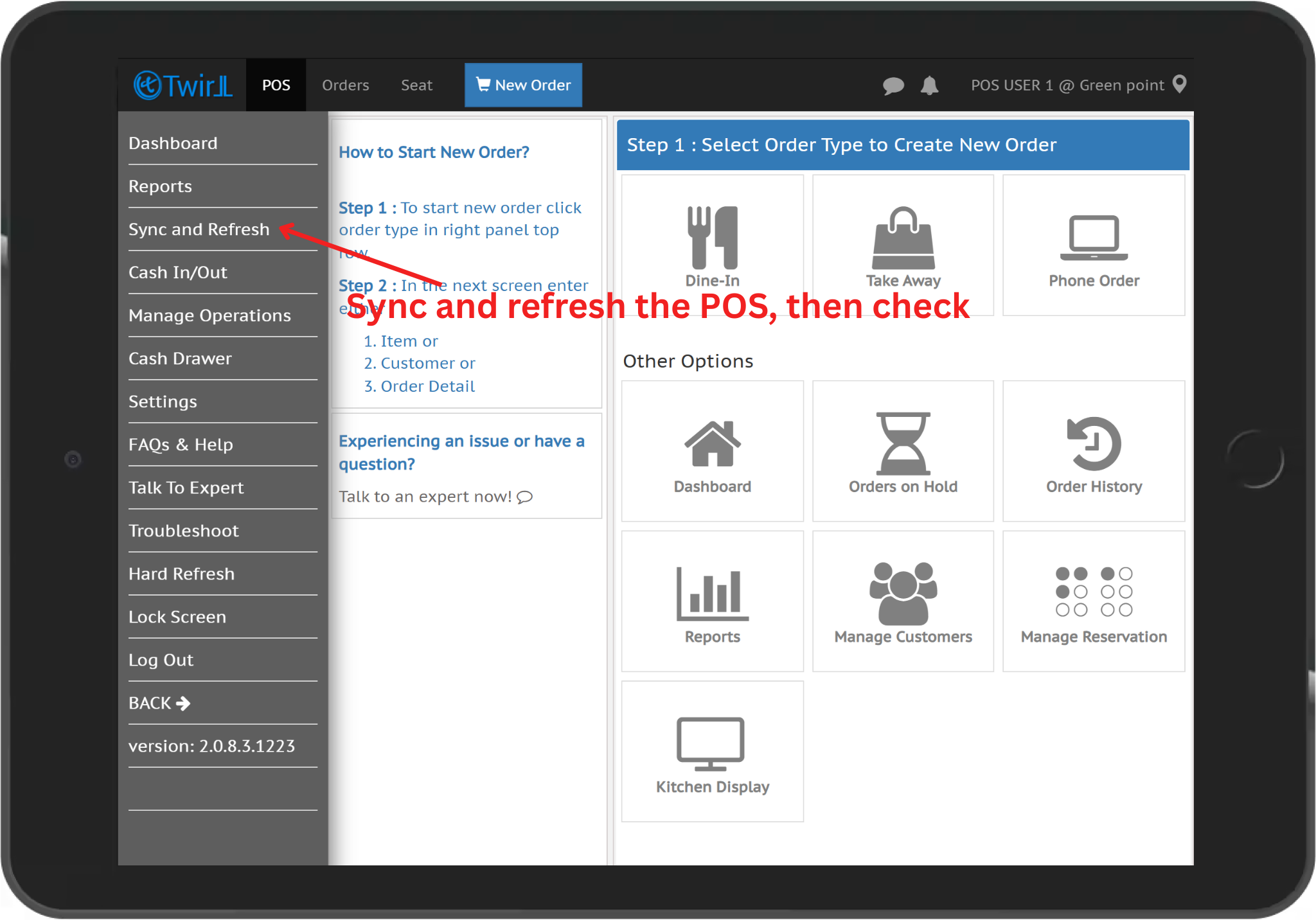
Step 4:- Go to the POS system and perform a Sync & Refresh to apply the changes.
Relate Links :
Activate a User from Twirll Admin Portal
How to Validate user OTP
How to enable timesheet
How to clock-in and clock out
How to check time sheet.