
This document explains how to download the customer contact list from the Twirll Portal. By following these steps, users can access the Contact List and export customer information as a CSV file for reporting, communication, or record-keeping purposes.
Step 1: Open the Twirll Portal. Enter your registered email address and password and login there.
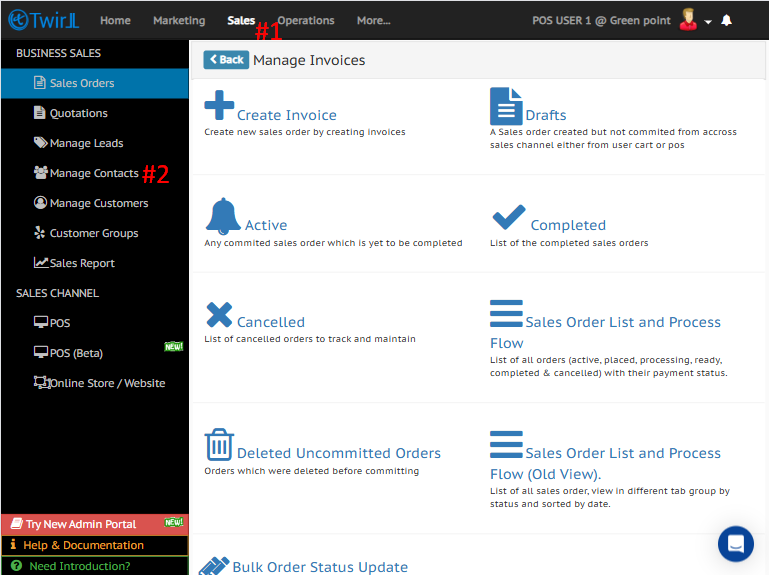
- Navigate to Sales.
- Navigate to Manage Contacts
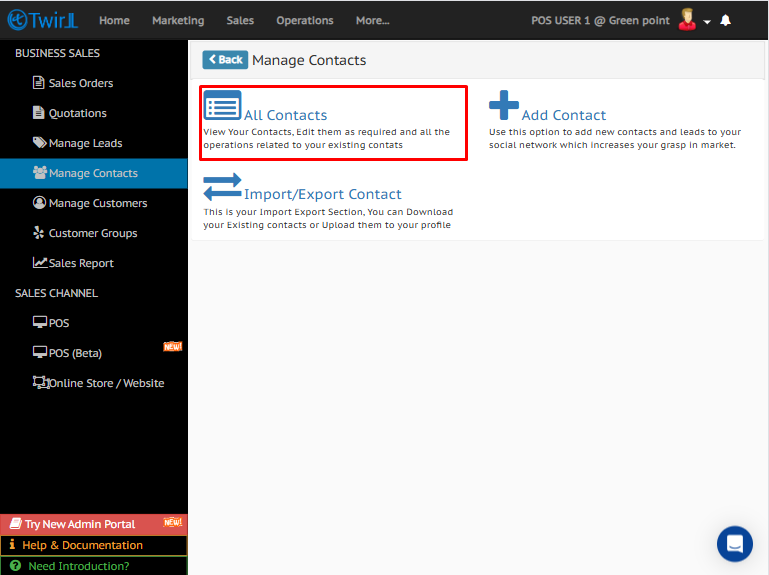
Step 2: Open the Contact List
Click Contact List to view all customer contacts.
Step 3: Download the Customer List
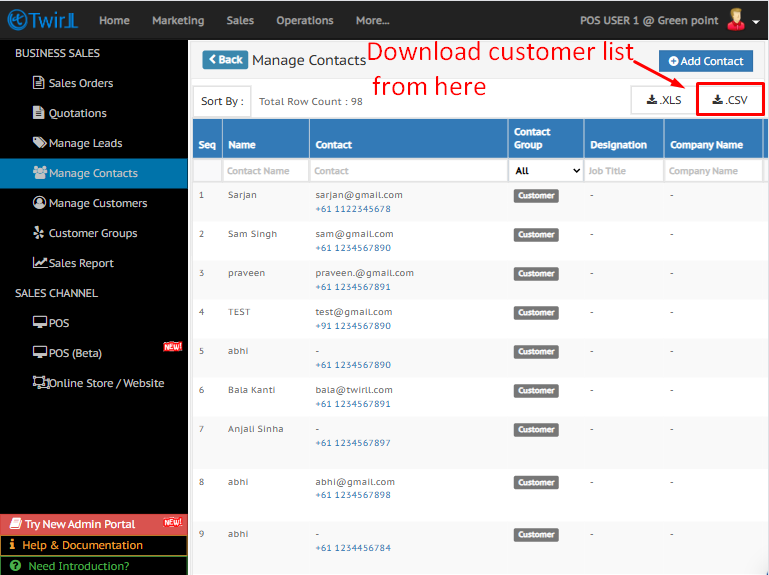
The complete list of customer contacts will be displayed.
Click the Download CSV option to export the customer list.
Related documents :
Create Customer Group
Assign Customer Group To Customer
Bulk Update Customer Group Pricing
Manage Customer Groups Items Pricing