
To create/register your Stripe Terminal on Twirll platform Kindly make sure that you have a active stripe account and it is connected with Twirll.
- Step 1 Go to Twirll Portal
Open Portal >> Admin >> Thirdparty Integration

NoteConnect your Stripe account with Twirll Platform by following Create and add Stripe account
- Step 2 After Stripe Account Verfication add the stripe terminal on Twirll Portal
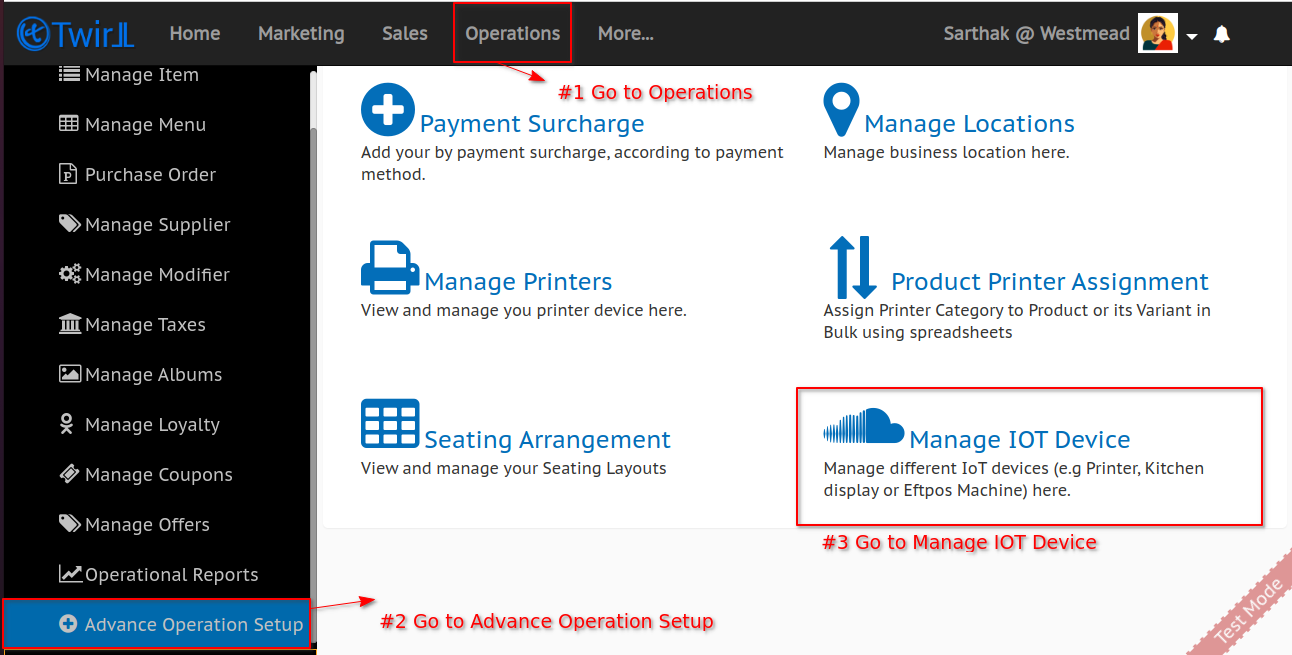
Open Portal >> Operations >> Advance Operations Setup >> Manage IOT Device
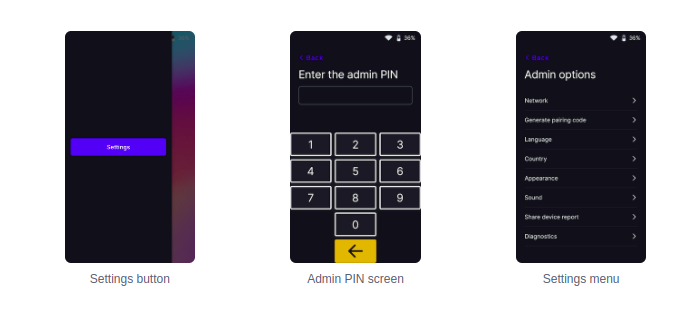
- Step 4 Get the pairing code from terminal for that open the settings menu, swipe right from the left edge of the reader screen to reveal a Settings button. Tap the Settings button and enter the admin PIN 07139 and tap Generate pairing code
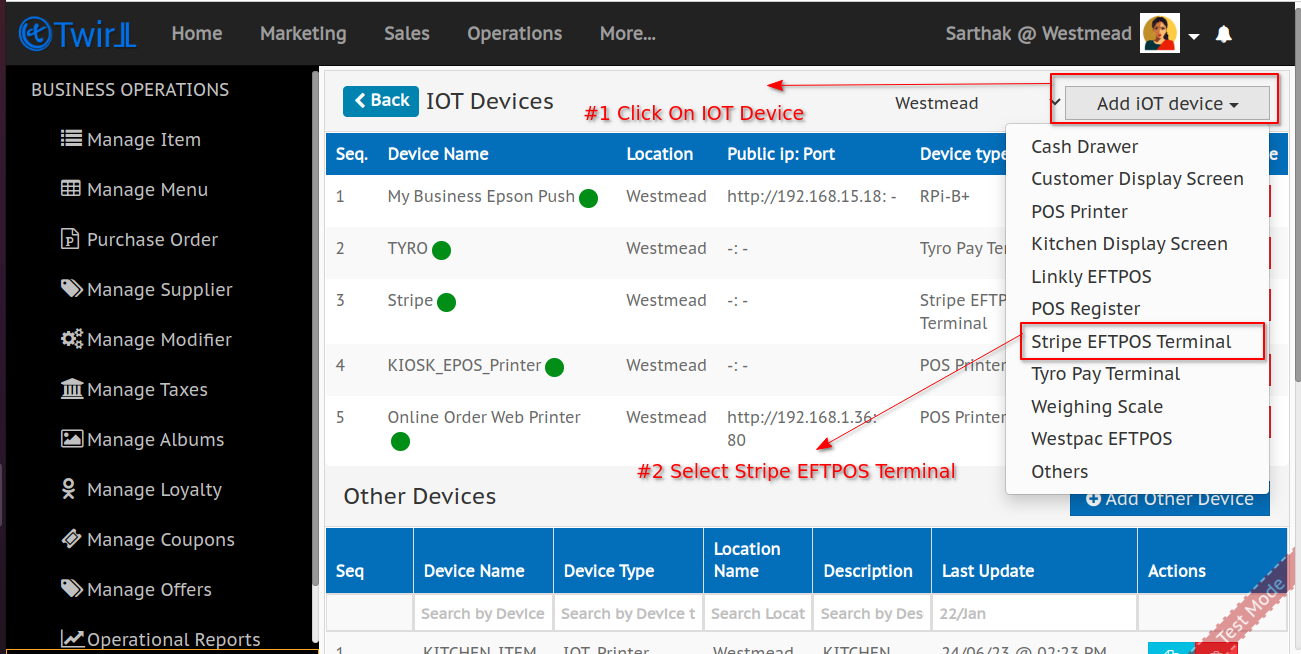
- Step 4 Click on Add Iot Device and then Select Stripe EftPos Terminal
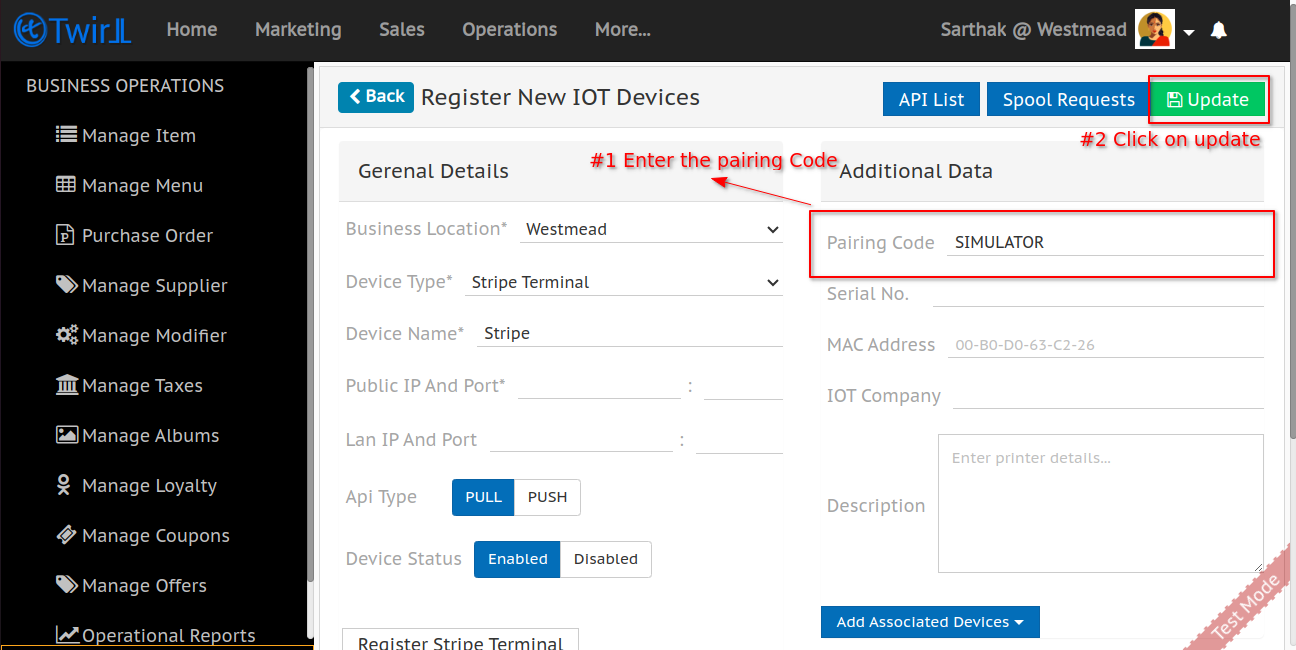
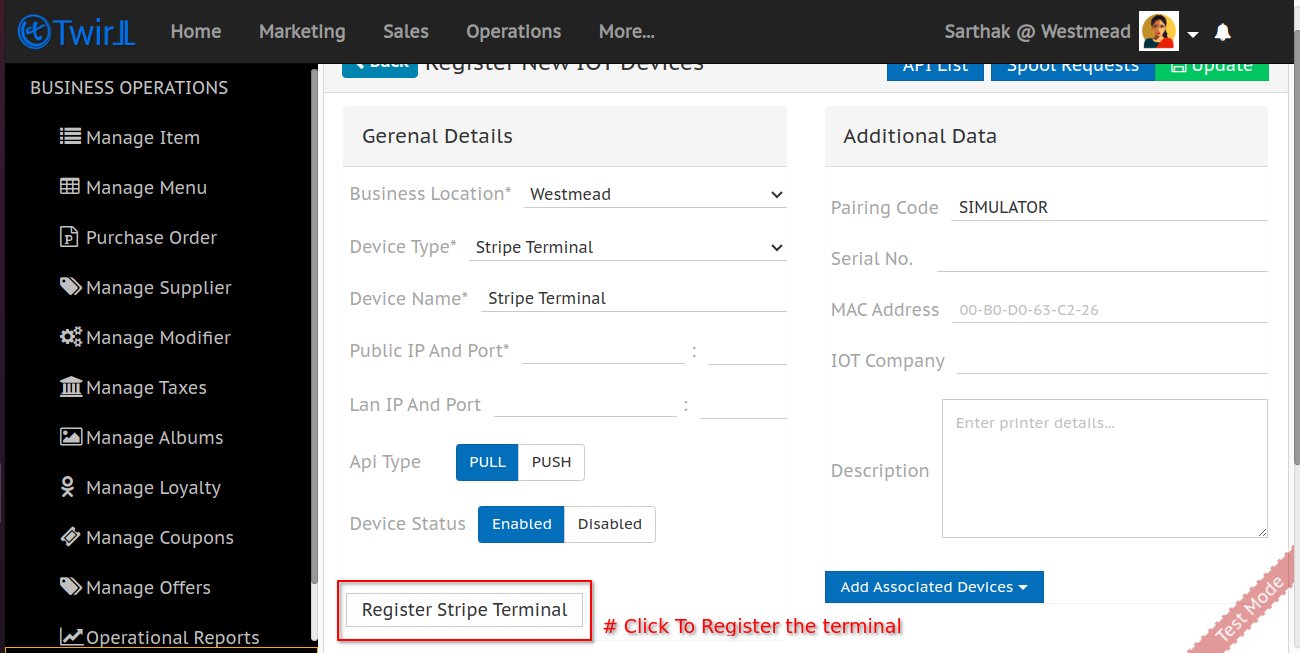
- Step 5 Enter the Terminal Frindly Name,Pairing Code and update the device detail
- Step 6 After Success click on register stripe button to register terminal at stripe and wait to terminal to show stripe logo
Related Articles