Step 1: Access Customer Management
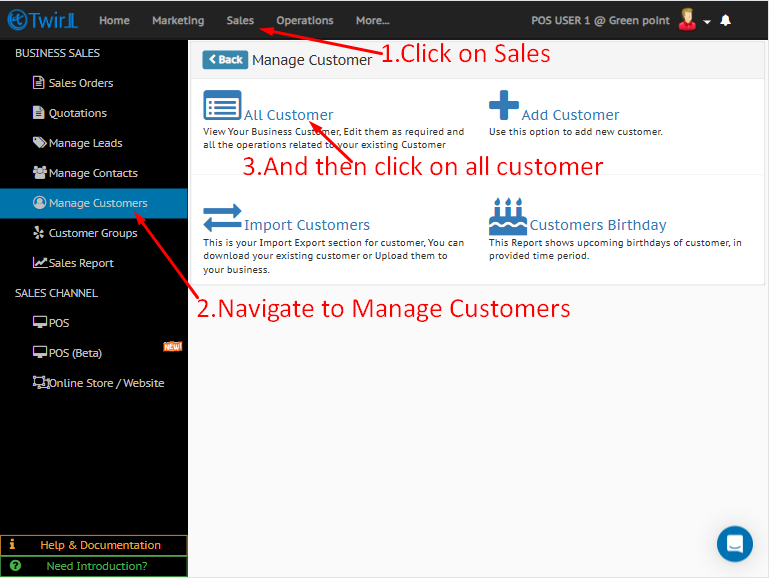
Log in to the Twirll Portal, then navigate as follows:
Sales → Manage Customer → All Customers
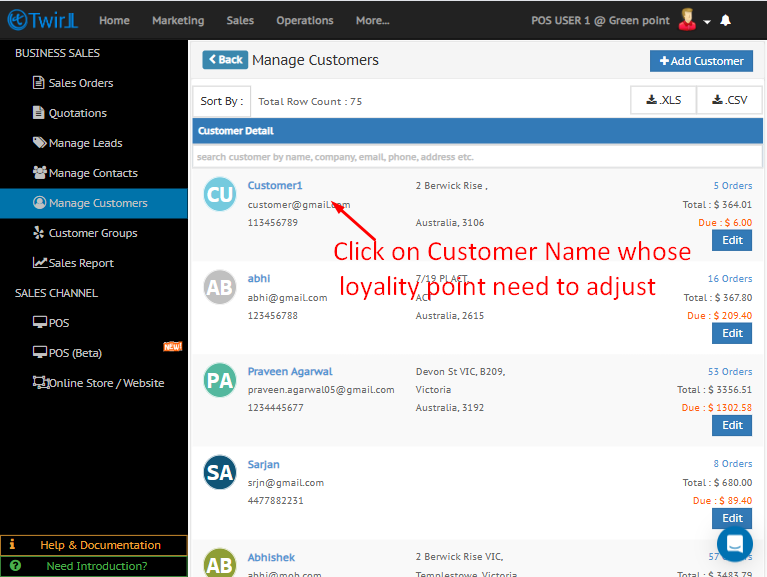
Step 2: Select the Customer
From the customer list, click on the customer name whose loyalty points you want to adjust.
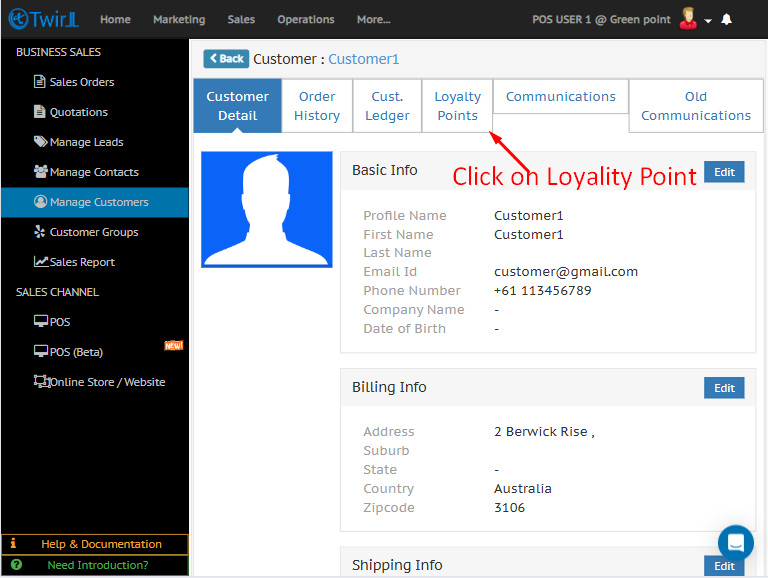
Step 3: Open Loyalty Points Section
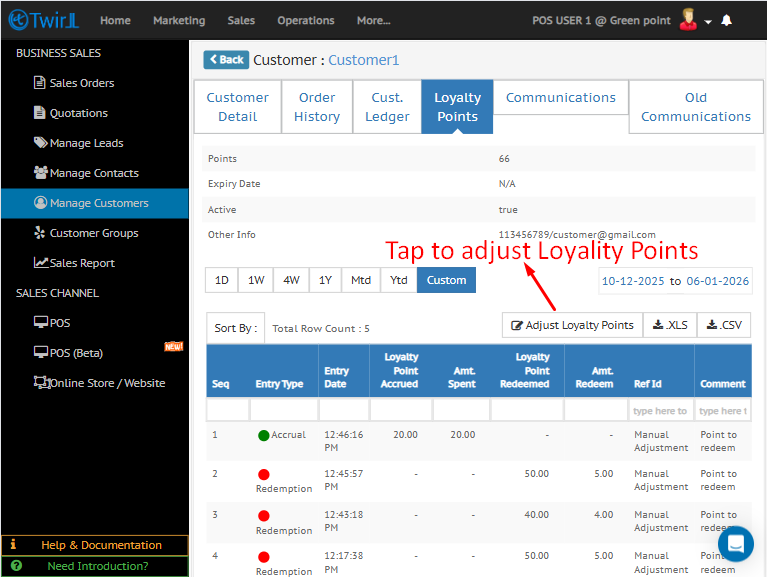
Within the customer profile, click on Loyalty Points to view the customer’s current points balance.
Step 4: Adjust Loyalty Points
Click on Adjust Loyalty Points to initiate the points adjustment process.
Step 5: Redeem or Modify Points
-
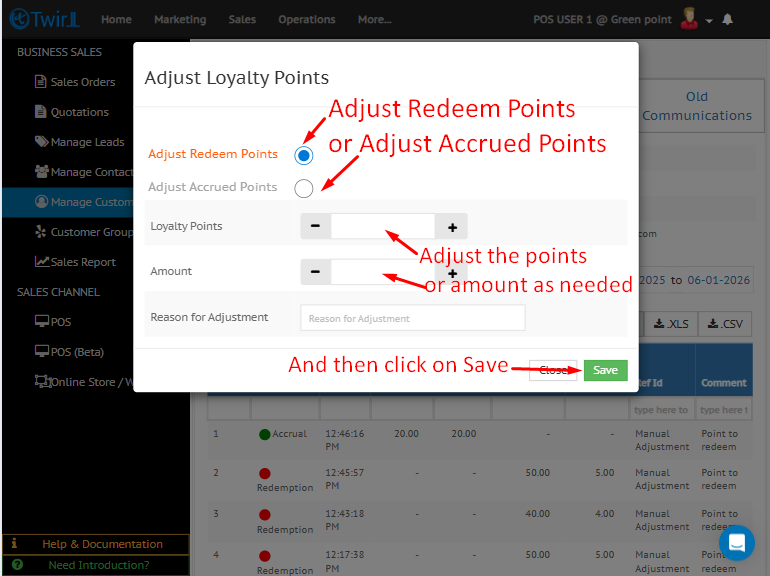
Select the number of loyalty points to be adjusted or redeemed.
-
Enter the adjustment amount as required.
-
Click Save to apply the changes.
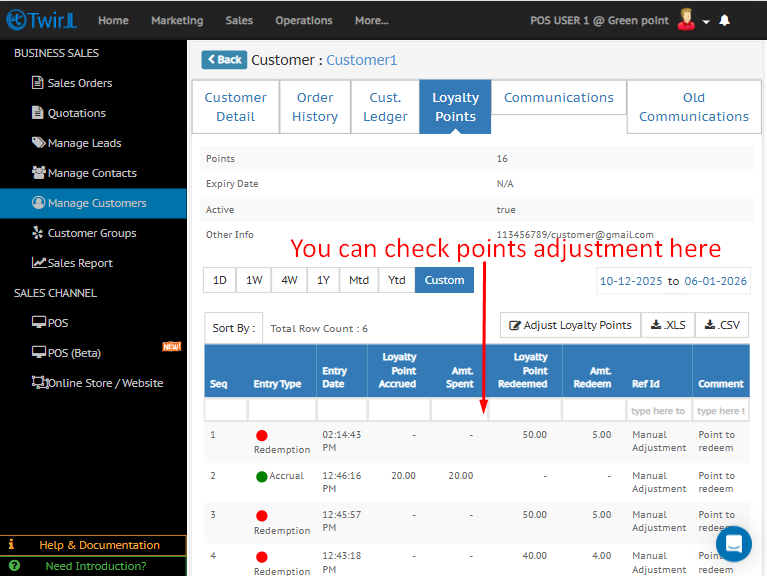
Step 6: Verify the Adjustment
After saving, review the Loyalty Points history to confirm that the adjustment has been successfully applied.