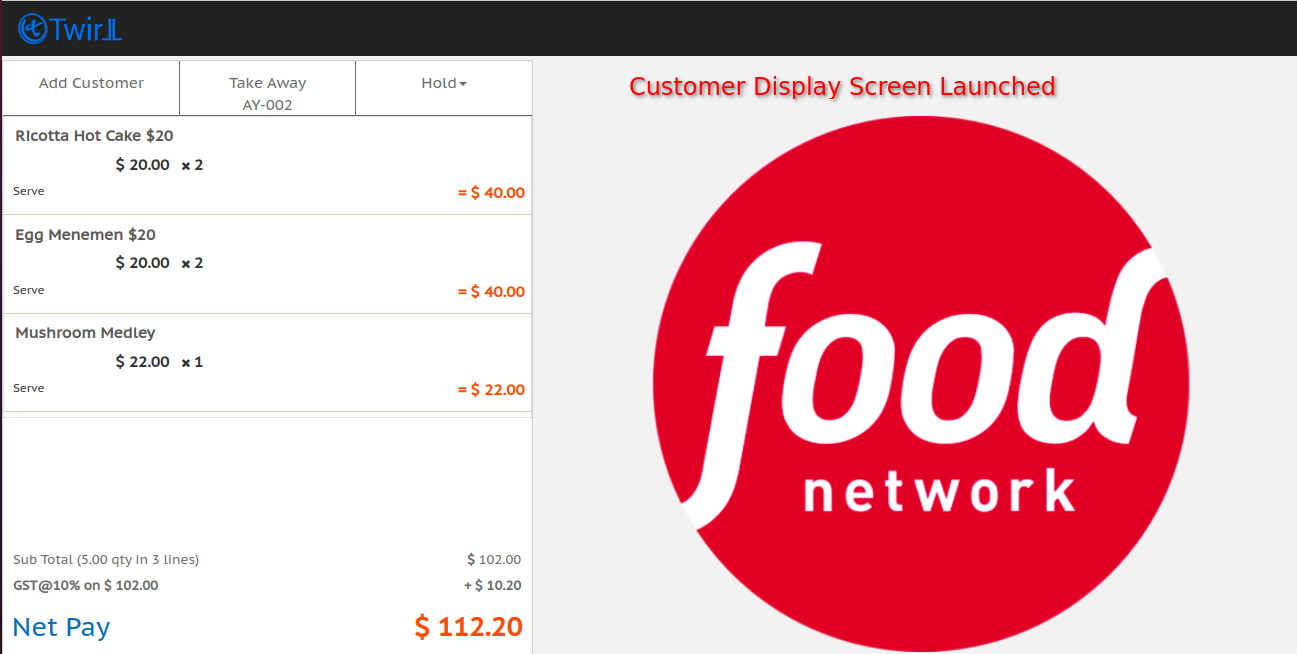
A Customer Display Screen(CDS) or Customer Facing Display is a secondary display that allows your customers to see a real-time preview of their purchase as you process it at the point of sale (POS). This transparency helps to:
- Reduce errors: By seeing the items, quantities, and prices on the CDS, both you and the customer can verify the order details, minimizing the chance of mistakes.
- Increase customer satisfaction: The CDS empowers customers by keeping them informed throughout the checkout process. This can help to build trust and ensure a more positive shopping experience.
What information does a CDS typically display?
- Itemized list of products
- Quantity of each item
- Price of each item
- Subtotal
- Discounts applied
- Taxes
- Total amount due
Configure the CDS on Twirll Portal
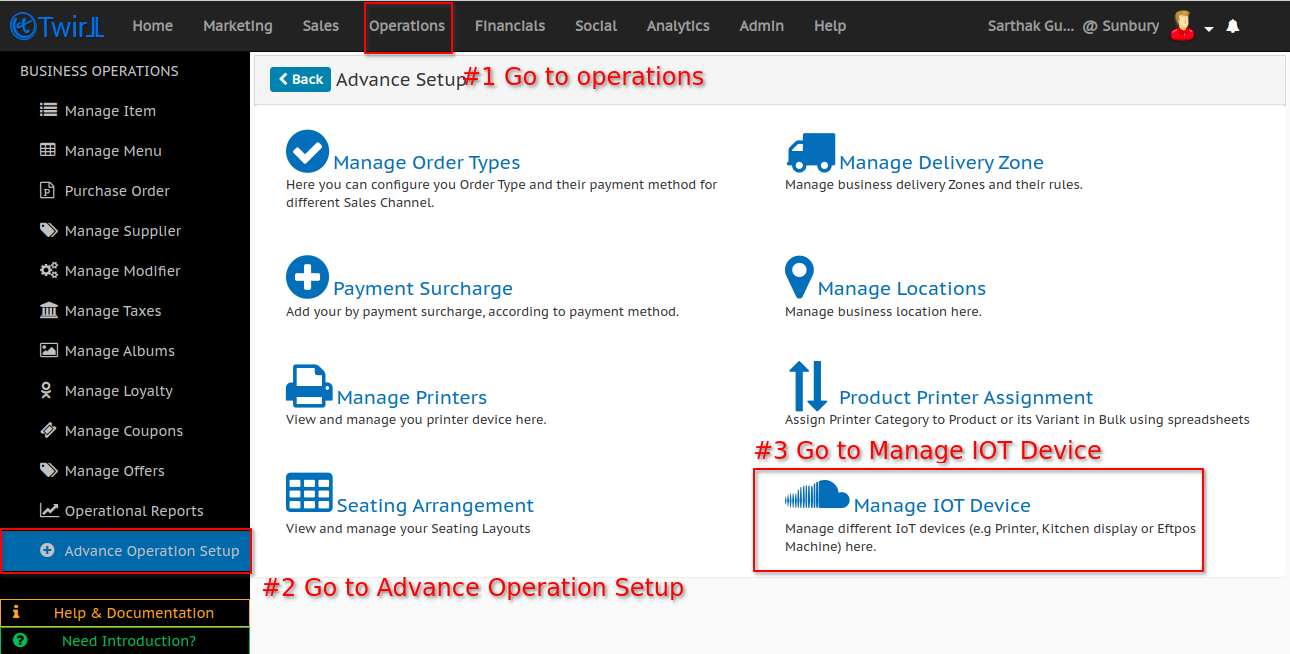
1. Go to mange IOT device in advance operation setup
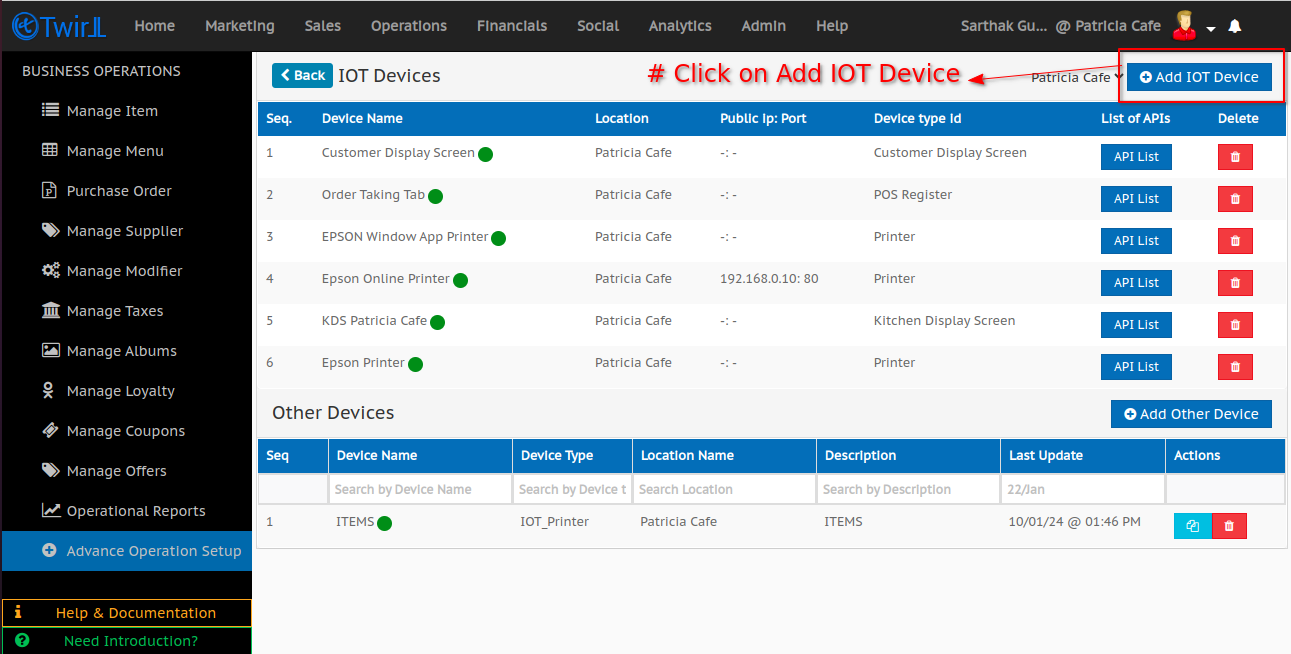
2. Add IOT device
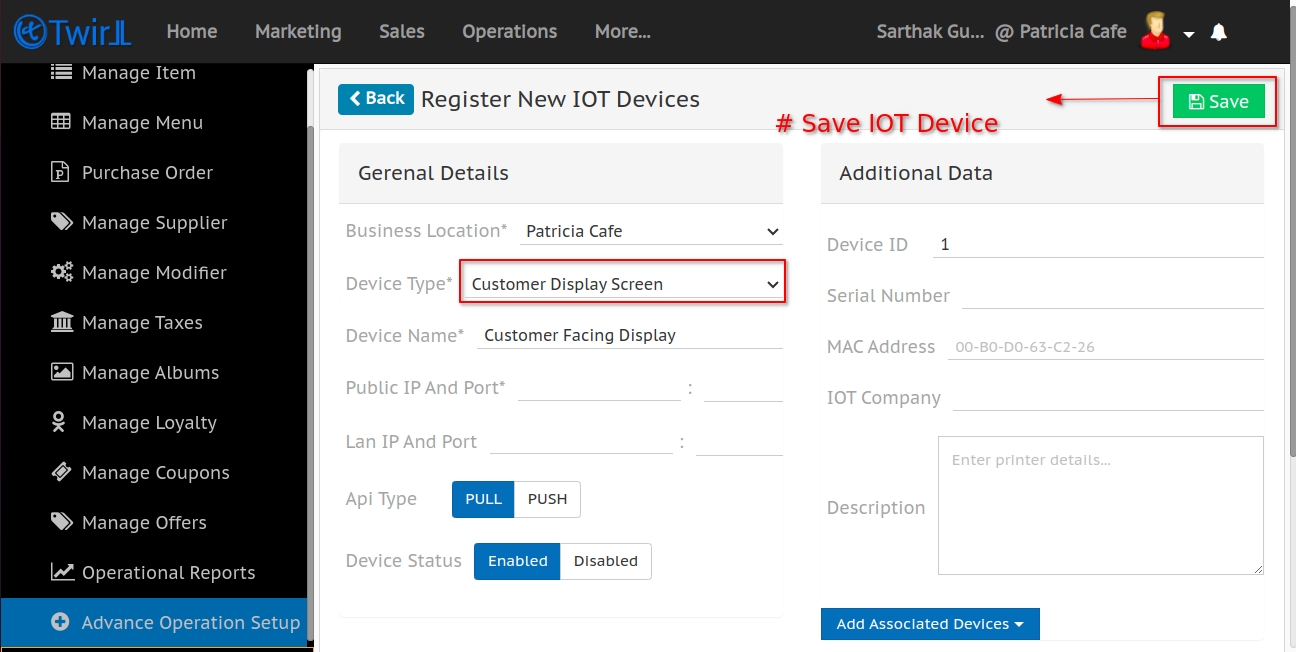
3. Enter the details of CDS and save the device detail
Launch the CDS from POS
1. Enable CDS screen on Twirll POS
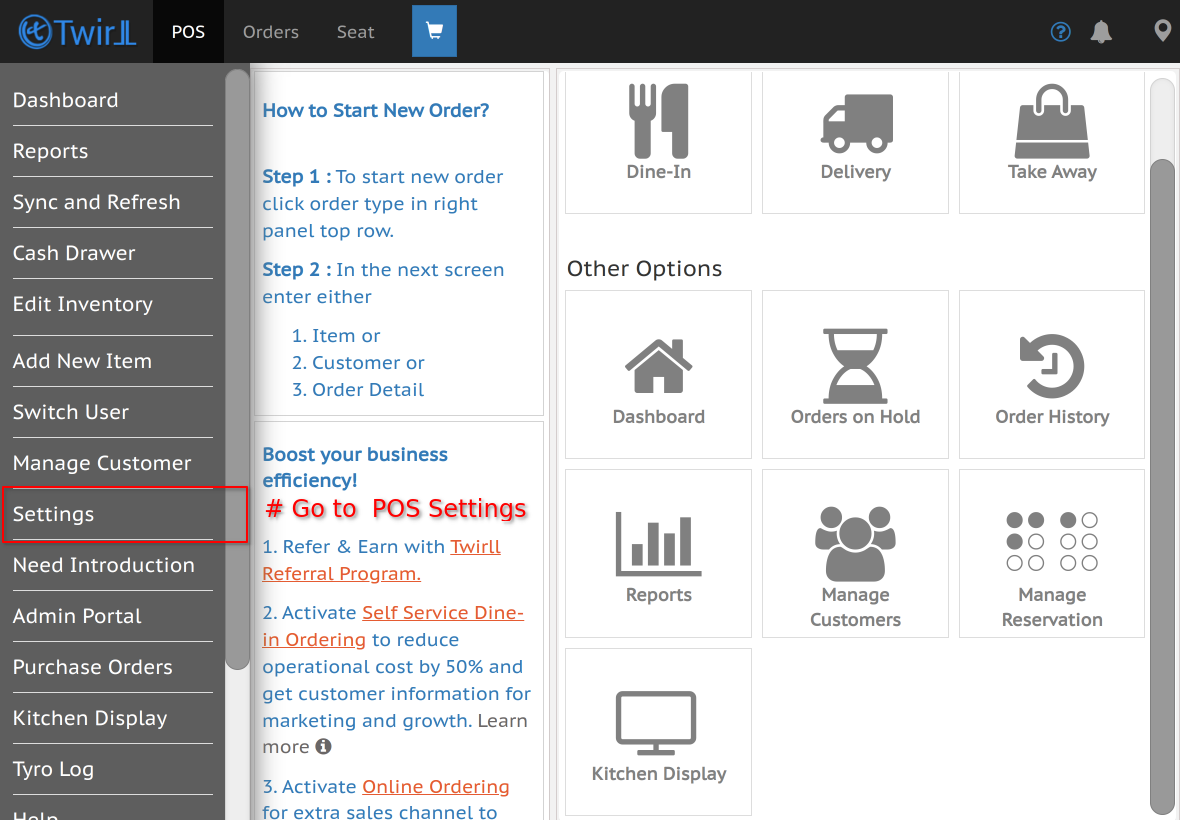
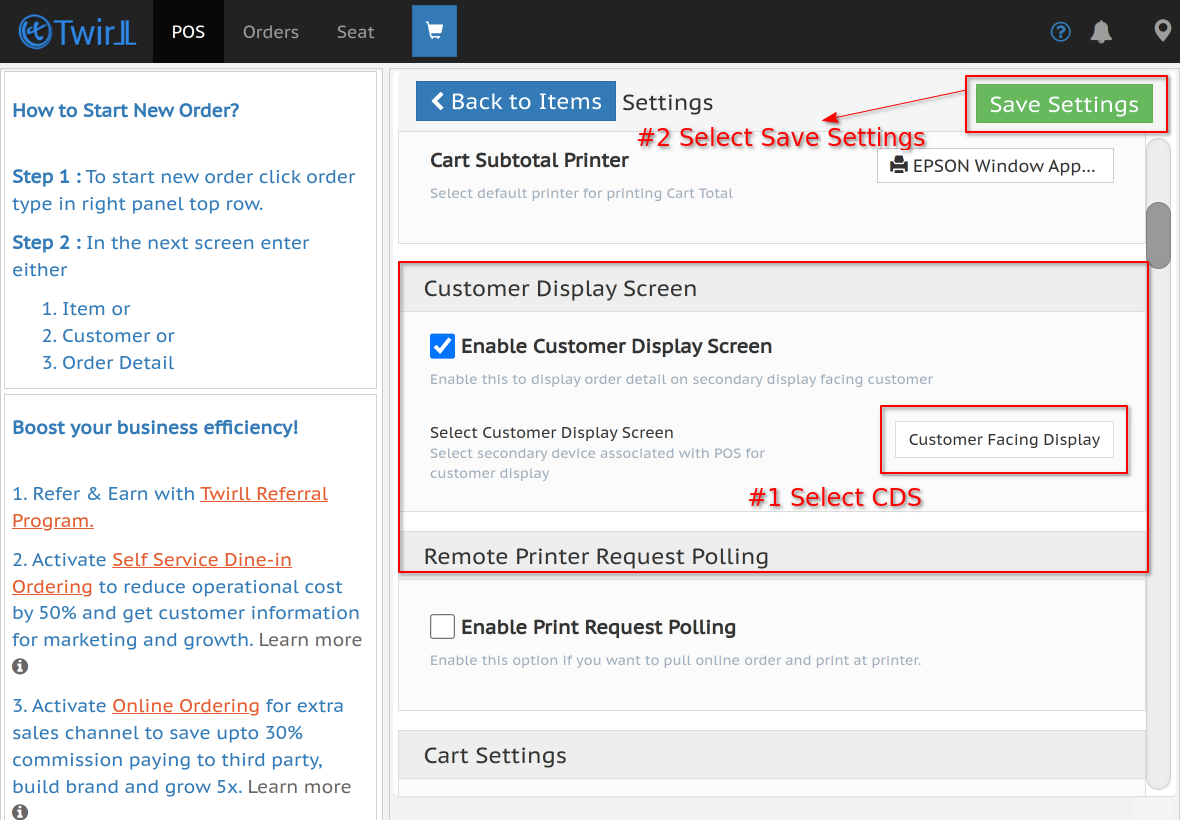
2. Launch CDS from Twirll POS
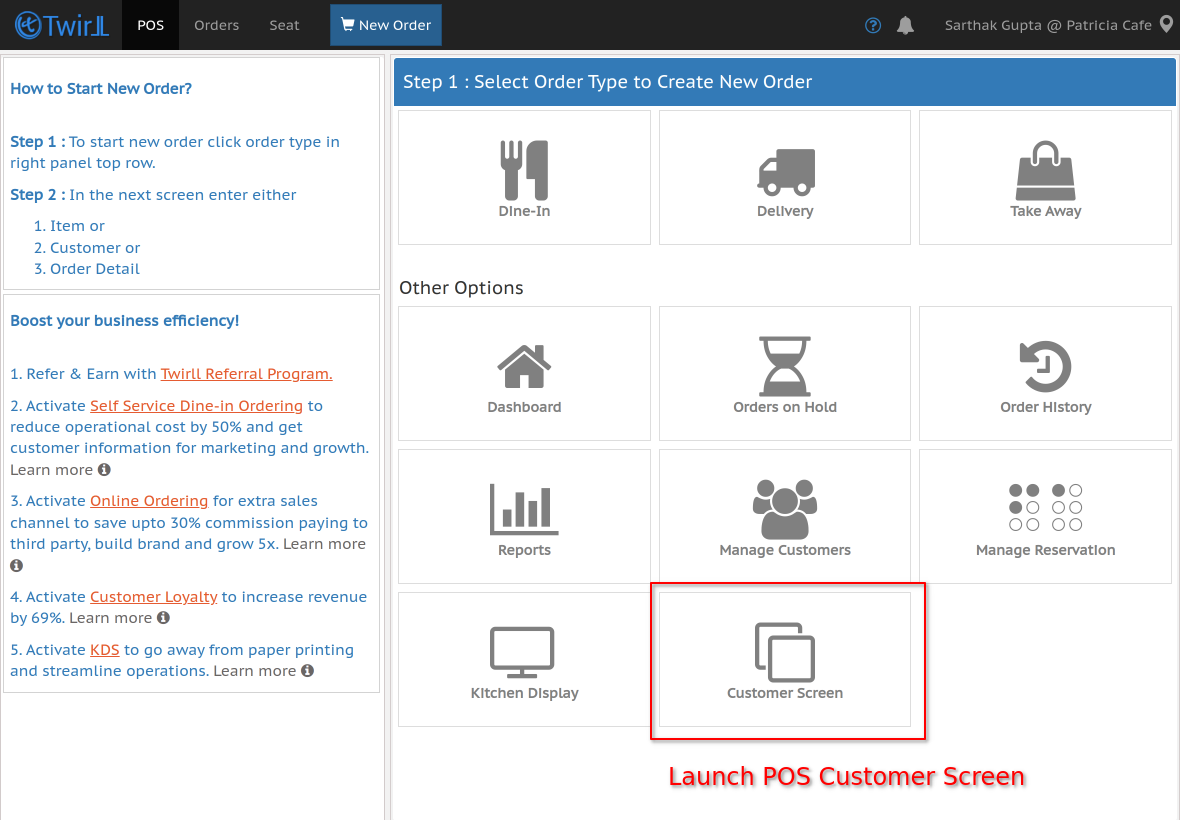
3. KDS Screen Launched Successfully